


House Designer : Fix & Flip
4.620.75K Reviews
App Specs
- Version
- 1.98
- Updated On
- License
- Free
- Downloads
- 100,000,000+
- Developer
- TURBOGOOSE GAMES
- Categories
- Adventure
- Platform
- Android, iOS
Screenshots
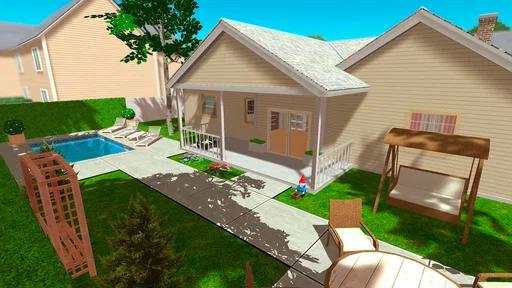
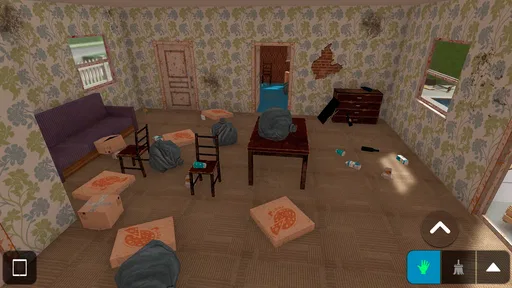
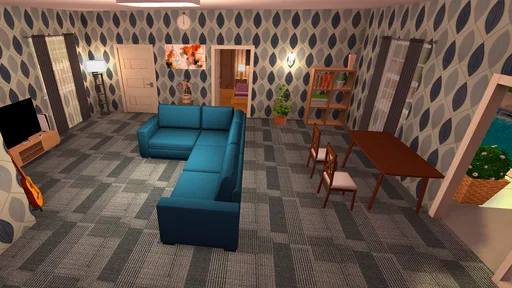
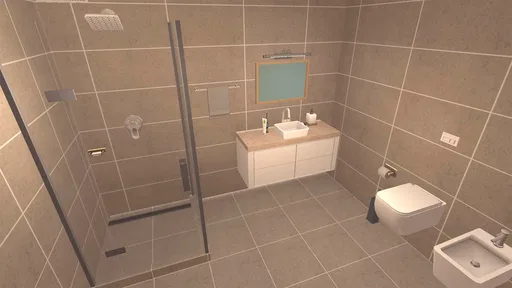
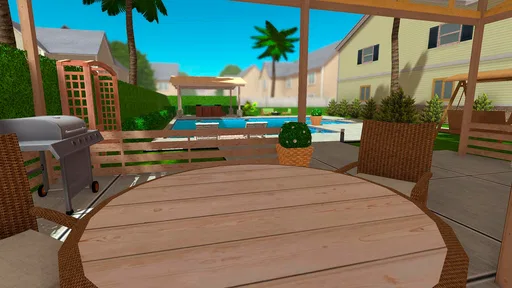
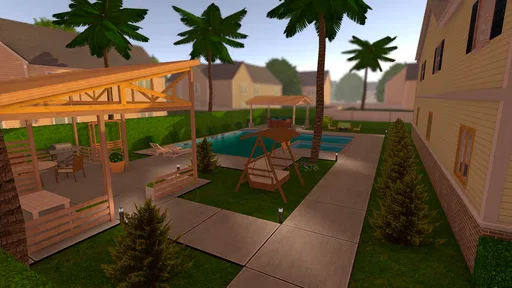
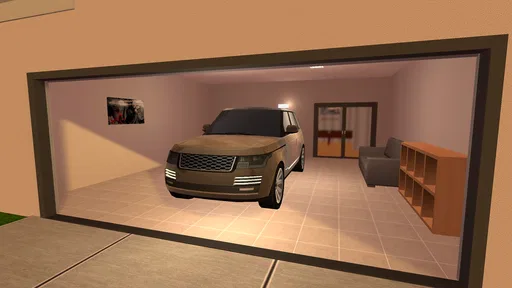
 Analysis by AppCompare
I tend to judge a home-design game by what happens after the first burst of decorating excitement: does it still give me a reason to open it when I have only a few minutes, or does every session start to feel like the same room with different furniture? House Designer: Fix & Flip has a strong first-week pull because it makes renovation feel hands-on, but its longer-term appeal depends on whether you enjoy repeating the cycle of improving a property and making choices about how to spend your virtual budget.
Who gets the most from the first week
This is an adventure game from TURBOGOOSE GAMES, though its appeal is less about a conventional action story and more about making a house visibly better through a string of practical design decisions. The central pleasure is easy to understand: buy, renovate, and sell houses, then see the difference between a neglected place and a finished home. I found that clear before-and-after feeling more motivating than a long list of abstract objectives.
The early attraction is especially strong if you like interior design but do not want the pressure of creating a perfect room from a blank canvas. A project gives you a concrete problem to solve: choose what to change, make the space look coherent, and decide how much effort or money a particular improvement deserves. If you are new to renovation games, the straightforward controls also make it easier to focus on the room instead of wrestling with the interface.
It helps to go in with the right expectation. This is a casual mobile game, not a professional floor-planning tool or a detailed construction simulator. I would not use it to test whether an actual renovation plan is structurally sound, and anyone looking for precise architectural measurements should choose a dedicated design program instead. Its strength is the approachable, visual act of fixing and styling homes.
How the renovation loop holds up
Ever found yourself scrolling through your app store, looking for that perfect game to sink your time into? Let me introduce you to House Designer: Fix & Flip. I recently downloaded this gem, and honestly, saying I'm hooked would be an understatement. Here's my take on why this app might just be your next favorite.
Immersive Gameplay
From the moment you fire up House Designer: Fix & Flip, you're thrown into a world where you can unleash your inner architect. The game gives you the opportunity to buy, renovate, and sell houses. Sounds simple, right? But trust me, it's way more engaging than it sounds.
The first thing that caught my attention was the level of detail. Whether it's knocking down walls, painting, or even rearranging furniture, every task feels rewarding. It's like you're living a dual life—one where your real-world worries take a backseat while you focus on creating that dream home.
Worth Reading Before You Choose

Flipboard Shows What News Apps Must Do Beyond the Feed

Switching to Android Auto Means Rethinking Your Driving Routine

Google Calendar Makes a Crowded Week Easier to Manage

Ludo King Makes the Most of the Minutes Between Plans

Baby Panda World Brings Quick Play to Modern Phones, but Its Game Library Feels Busy

ESPN’s Live Game View Makes Following Close Games Easier
User-Friendly Interface
One of the things I absolutely love about this app is its user-friendly interface. Even if you're not someone who plays games often, you'll find it easy to navigate through the different options. The controls are pretty intuitive, allowing you to focus more on creativity rather than figuring out how to move around.
The graphics are surprisingly good, especially for a mobile game. The attention to detail in each room you design or remodel is impressive. It's almost like you can feel the texture of the carpets or the smoothness of freshly painted walls. If you've got an eye for design or just enjoy making things look good, this game is right up your alley.
Endless Customization Options
Customization is the name of the game here. The app offers a plethora of options for you to choose from. Want that minimalist look? Go for it. Prefer something more vintage? You got it. The sheer variety of furniture, décor, and color schemes you can choose from makes every project feel unique. I found myself spending hours just scrolling through the choices, trying to find that perfect combination.
Another cool feature is the ability to take on different types of projects. Whether you're flipping a small starter home or going all out on a mansion, each level presents its own set of challenges and rewards. The satisfaction of seeing a house go from a rundown shack to a stunning masterpiece is unbeatable.
Making time and money work together
The renovation loop is a good fit for short sessions because a visible task—painting, rearranging, or changing a room—can give a visit to the game a satisfying endpoint. I would treat that as a practical way to keep the game enjoyable: pick one small improvement when you have a spare moment, rather than opening it with the expectation that you must complete an entire property. That makes the creative side easier to enjoy without turning a casual game into a chore.
There is also a useful trade-off between designing for personal taste and thinking about resale. A bold room may be more fun to create, while a more restrained choice can feel like the safer way to avoid spending on details that do not seem worthwhile. I found it more satisfying to decide on a general look before browsing individual items. That simple order helps limit aimless scrolling and makes a room feel intentional instead of assembled from unrelated purchases.
Realistic Economic System
Now, let’s talk money. The game incorporates a realistic economic system. You have to budget your renovations, buy materials, and make decisions that could either make or break your profit. It adds a layer of strategy to the game, making it more than just a simple design app.
You'll often find yourself weighing the pros and cons of certain upgrades, wondering if they'll add enough value to make a profit. It's a fun way to learn a bit about real estate and economics without even realizing it. Plus, who doesn't love the thrill of making a virtual profit?
A realistic session, and where patience helps
Imagine having a short break after work and wanting something more active than browsing room photos, but less demanding than a long, competitive match. I would use this game to tackle one contained decorating decision, then stop when the room feels improved. On a quieter evening, I might spend longer comparing colors and furniture combinations. That flexibility is one reason the renovation theme can suit different moods, though it still asks you to be comfortable with repeated hands-on tasks.
For a more deliberate run, I would pause before committing to every upgrade and ask whether it serves the look I am building or the resale goal I have in mind. That is a small but useful habit: it keeps the budget element from becoming background noise and gives each choice a purpose. If the money side starts to feel like friction, I would focus on the visual reward instead of trying to optimize every decision. The game works best when those two motivations support each other, not when every room becomes a calculation.
As a free game, it is easy to try without paying upfront, but optional in-app purchases range from $0.49 to $69.99 per item. I would treat spending as a personal choice rather than a requirement for enjoying the basic idea. If you are sensitive to purchase prompts or prefer games with a single fixed cost, that pricing model may be a reason to be cautious. The game is rated Everyone, but that broad age label does not tell you whether its renovation-and-resale loop will suit a particular player; younger players may still need an adult’s help making decisions about purchases.
Month-to-month value and maintenance
For me, long-term value here is less about chasing novelty and more about whether I still enjoy styling another property after the initial excitement fades. The customization gives each project room for a different visual direction, while the budget choices add a reason to think beyond appearance. That combination can keep the loop engaging for players who like incremental creative projects. It is less compelling if you need a deep story, a large cast of characters, or a steady stream of dramatically different gameplay systems to stay invested.
My advice for keeping it fresh is to set a small personal constraint before beginning a project: choose a restrained palette, decide which room matters most, or try to make the final result feel consistent rather than simply buying every appealing item. These are not extra game modes; they are ways to give your own decorating decisions a clearer purpose. They also help answer a common practical question: how do you avoid spending a whole session browsing? Decide the intended look first, then shop toward it.
Regularly returning to a game is not the same as needing to maintain it like a real house, and I would not treat every project as a commitment. If I skip a few days, I can simply come back when the mood for a visual task returns. That makes it easy to keep installed as an occasional relaxing option, but players who want a daily routine with meaningful new challenges may find the repeated renovation structure less sustaining. Its current version is 1.87, and the game has been available since August 1, 2018; I would judge its value by the play loop I enjoy now, rather than assuming that a long-running title will keep changing in ways I personally want.
Where it can wear thin
The same repetition that makes the game easy to return to can also become its main source of fatigue. Painting, choosing furniture, and weighing improvements are satisfying when I feel invested in a property, but they can lose their appeal if I am not in the mood to make more small decisions. The wide range of décor is a plus for people who enjoy browsing; for someone who wants a quick, decisive game, that choice can become a time sink.
I would also separate the game’s “realistic” money theme from real estate advice. The virtual decisions can make renovation economics more engaging, but they are not a substitute for learning the costs, risks, and practical constraints of buying or repairing a real home. If your main goal is accurate budgeting for an actual project, use a purpose-built planning tool and speak to relevant professionals. This game is for playful experimentation, not a financial guide.
Compared with the usual alternatives in the adventure category, this is a quieter, more design-focused choice. A conventional action adventure puts its emphasis elsewhere; a pure interior-design experience may offer styling without the same buy-renovate-sell framing. Here, the economic layer gives decorating a goal, while the renovation tasks give the numbers a visual payoff. That middle ground is its appeal, though a player who wants either a serious business simulation or an open-ended design canvas may be happier with a more specialized option.
Community and Updates
What keeps the game fresh is its active community and regular updates. The developers seem committed to keeping things interesting, often adding new features, design elements, and challenges. It’s clear they listen to user feedback, which is a huge plus in my book. Knowing that the game will continue to evolve makes it all the more exciting to stick around and see what's next.
Not to mention, the community of players often shares their creations online, offering endless inspiration. It's like being part of a virtual club where everyone is as passionate about design and renovation as you are.
The scale of its audience is notable: it has passed 100 million installs, with an average rating of 4.6 from around 1.1 million ratings and roughly 21,000 written reviews. I take that as a sign that the renovation concept has broad appeal, not as proof that every player will enjoy the pacing. The best way to decide is to think about whether you like visual tinkering and gradual improvement more than quick, high-pressure action.
Final Thoughts
So, is House Designer: Fix & Flip worth your time? Absolutely. It's a perfect blend of creativity, strategy, and relaxation. Whether you're in it for the design aspect or the economic challenge, there's something here for everyone. And with its constant updates and active community, you’ll always find new reasons to return.
Whether you're a casual gamer or someone looking for a new obsession, give this app a try. Your inner designer will thank you, and who knows, you might just learn a thing or two about flipping houses along the way. Happy designing!
Who should keep it installed
I would recommend it to someone who likes the small satisfaction of improving a room, enjoys choosing furniture and colors, and does not mind repeating a familiar cycle to see a house come together. It is particularly suited to players who want a low-pressure creative activity they can pick up when they feel like it, rather than a game that demands a strict schedule. The free entry point makes sampling that loop straightforward, while the Everyone rating makes its general audience clear.
I would skip it if you want a fast-paced adventure, realistic construction mechanics, a deep property-management simulation, or a design tool that can produce dependable real-world plans. It is also not the best choice if browsing options tends to frustrate you or if virtual spending decisions feel like a burden. For those players, a focused room-planning app, a more substantial simulation, or a different kind of adventure game will be a better match.
My lasting verdict is that this earns space on a phone when home design itself is the pleasure, not just the novelty of a new game. I would return for a quick room refresh, a change of style, or the satisfaction of seeing a neglected property improve. I would not expect every session to feel new, and I would take breaks when the renovation routine starts to blur together. With that expectation, House Designer: Fix & Flip is an easygoing creative diversion with enough economic decision-making to give its decorating a purpose.
Pros
- Intuitive controls make gameplay smooth.
- Wide range of customization options.
- Realistic graphics enhance immersion.
- Regular updates with new features.
- Challenging levels keep players engaged.
Cons
- In-app purchases can be costly.
- Occasional lag on older devices.
- Limited tutorial for beginners.
- Repetitive tasks may bore some users.
- Ads can interrupt gameplay.
FAQs for House Designer : Fix & Flip
What is the main objective of House Designer: Fix & Flip?
House Designer: Fix & Flip is a simulation game where you purchase, renovate, and sell houses for profit. The main objective is to creatively design and improve homes by adding furniture, painting, and landscaping to increase their value, ultimately flipping them for a higher price. This helps players develop design skills and strategic thinking.
Can I play House Designer: Fix & Flip offline?
Yes, House Designer: Fix & Flip can be played offline. This is ideal for users who may not always have access to the internet but still want to enjoy the game. However, certain features, like updates or in-game purchases, may require an online connection.
Are there in-app purchases in House Designer: Fix & Flip?
House Designer: Fix & Flip includes in-app purchases. These purchases allow players to buy in-game currency, which can be used to unlock additional items, tools, and features more quickly. While purchases can enhance the gaming experience, they are not necessary to progress in the game.
Is House Designer: Fix & Flip suitable for children?
House Designer: Fix & Flip is generally suitable for children, offering a creative and educational experience. The game involves problem-solving and design skills, which can be beneficial for young players. However, parents should be aware of in-app purchases and supervise gameplay to ensure a safe experience.
How do the controls work in House Designer: Fix & Flip?
The controls in House Designer: Fix & Flip are intuitive and user-friendly, designed for touch devices. Players can easily tap, drag, and swipe to select and move items, paint walls, and arrange furniture. The interface is straightforward, making it accessible for both new and experienced gamers.


